Open-source hardware security device featuring TOTP Authenticator and Password Manager with BLE Keyboard







Video Demo • Features • Installation • Documentation • Security • Support

TOTP Mode (Dark Theme) Real-time authentication codes |

Password Manager Mode Secure offline password vault |

BLE Security Mode Encrypted wireless transmission |

Light Theme UI Customizable display themes |

Battery & Status Real-time monitoring |

Factory Reset Secure data wiping |

Dashboard & Login Secure web access |

TOTP Management QR code scanning & bulk import |

Password Vault Encrypted storage & search |

Security Settings PIN & authentication config |

Device Configuration Network & display settings |

Password Generator Advanced generation & statistics |
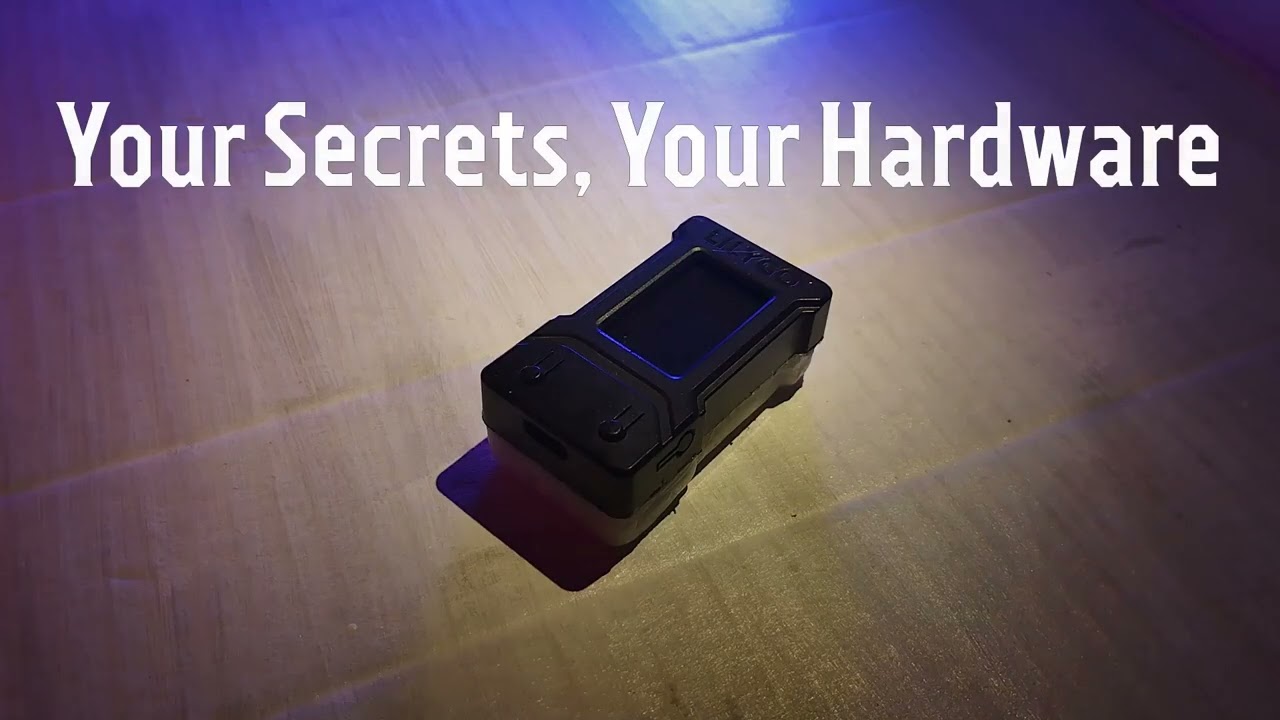
Watch the full demonstration showing TOTP generation, password management, BLE keyboard typing, and web interface in action.

Defense-in-depth: 8 layers of security protection
SecureGen implements multiple security layers to protect web communications. Here's what that looks like in practice:

Before: Readable HTTP Traffic All request details visible in plaintext |

After: Protected Traffic Encrypted and obfuscated communications |
What Changes:
- Before: API endpoints, session cookies, and request structure are fully visible to network monitoring tools
- After: Multi-layer protection encrypts payload, obfuscates URLs, masks metadata, and prevents traffic analysis
This demonstrates the 7-layer security architecture protecting your sensitive data from passive monitoring, MITM attacks, and traffic pattern analysis.
🔍 Technical Details (Click to Expand)
Protection Layers:
- Key Exchange (ECDH) - Establishes secure session keys using elliptic curve cryptography
- Session Encryption - Unique encryption for each communication session
- URL Obfuscation - Dynamic API endpoints generated using cryptographic hashing
- Header Obfuscation - HTTP headers dynamically mapped to hide metadata
- Decoy Injection - Fake headers added to confuse traffic analysis
- Method Tunneling - HTTP methods hidden to prevent fingerprinting
- Timing Protection - Random delays prevent timing-based side-channel attacks
Security Benefits:
- Protects against passive network monitoring (Wireshark, packet sniffing)
- Prevents traffic pattern analysis and metadata leakage
- Resists MITM attacks through session-based encryption
- Anti-fingerprinting measures prevent device identification
Performance Impact:
- ~50ms overhead per request
- Minimal impact on user experience
- Worth the trade-off for security-critical applications
Implementation:
- Built with mbedTLS for cryptographic primitives
- Custom session management layer
- Hardware-accelerated encryption on ESP32
- All code available in the repository for audit
Read more: Security Architecture Documentation
- Military-Grade Encryption - AES-256 for all sensitive data
- Multi-Layer Protection - 7+ security layers for web communications
- Hardware Security - Unique device keys from hardware entropy
- PIN Protection - Secure device startup and BLE transmission
- Encrypted BLE - Authenticated Bluetooth with bonding and MITM protection
- TOTP Authenticator - Compatible with Google Authenticator, Authy, and all standard 2FA services
- Password Manager - Secure offline vault with BLE keyboard transmission
- Air-Gapped Operation - Works completely offline for maximum security
- Wireless Transmission - Send passwords via encrypted Bluetooth to any device
- Full Management - Add, edit, delete TOTP codes and passwords remotely
- QR Code Scanning - Easy TOTP setup via camera or file upload
- Password Generator - Advanced generation with customizable complexity
- Import/Export - Encrypted backup with password protection
- Custom Themes - Light and Dark modes with custom splash screens
- Session Security - Automatic timeouts and secure authentication
- Smart WiFi - Only active for time sync and web server
- Light Sleep Mode - Automatic power saving after 30 seconds
- Battery Monitoring - Real-time voltage and percentage display
- Optimized Display - Intelligent brightness control for battery life
- PlatformIO IDE (VS Code extension recommended)
- LILYGO® TTGO T-Display ESP32 board
- USB-C cable for programming
-
Clone the repository
git clone https://github.com/Unix-like-SoN/SecureGen.git cd SecureGen -
Open in PlatformIO
- Launch VS Code with PlatformIO extension
- Click "Open Project" and select the cloned folder
-
Build and Upload
- Connect your T-Display board via USB
- Click "Upload" in PlatformIO toolbar (or press
Ctrl+Alt+U)
-
WiFi Configuration
- Device creates AP:
ESP32-TOTP-Setup - Connect and navigate to
192.168.4.1 - Enter your WiFi credentials
- Device creates AP:
-
Security Setup
- Create administrator password for web interface
- Set optional PIN code for device startup
- Configure BLE security settings
-
Time Synchronization
- Device automatically syncs time via NTP
- Required for accurate TOTP generation
-
Ready to Use!
- Device switches to normal operation
- Access web interface at device IP address
| Button | Action | Function |
|---|---|---|
| Button 1 (Top) | Short Press | Navigate to previous item |
| Long Press (5s) | Switch TOTP ↔ Password Manager mode | |
| Button 2 (Bottom) | Short Press | Navigate to next item |
| Long Press (5s) | Power off (deep sleep) | |
| Both Buttons | 2 seconds (Password Mode) | Activate BLE keyboard transmission |
| 5 seconds (on boot) | Factory reset (wipe all data) |
- After 30 seconds of inactivity, device enters light sleep
- Press Button 2 to wake the device
- Note: Button 1 cannot wake device due to hardware limitation
- Displays service name, 6-digit code, and countdown timer
- Compatible with all standard 2FA services
- Encrypted storage with unique device key
- Real-time code generation with visual progress indicator
- Secure offline password vault
- Optional password masking for privacy
- BLE keyboard transmission to any device
- Advanced password generation tools
- Batch operations and secure backup
- Complete offline operation
- Maximum security through network isolation
- Password Manager works independently
- Optimized battery life with WiFi disabled
- Device creates own WiFi hotspot
- Web interface for configuration
- Isolated network environment
- Secure password access
- Connects to existing network
- Always-on server application
- Accessible to trusted devices
- Perfect for home/team deployment
- Functions like Bitwarden or KeeWeb with dedicated hardware
- PIN authentication on connecting device
- Encrypted transmission with MITM protection
- Device bonding for trusted connections
- Automatic timeout after transmission
This device implements 7+ layers of security for protecting your sensitive data:
Layer 1: Key Exchange
- Elliptic Curve Diffie-Hellman (ECDH) with P-256 curve
- Establishes secure session keys
- Forward secrecy protection
Layer 2: Data Encryption
- Session-based encryption for all communications
- Unique encryption per message
- Replay protection with message counters
Layer 3: URL Obfuscation
- Dynamic API endpoint paths
- SHA-256 based generation
- Rotates on device reboot
Layer 4: Header Obfuscation
- Dynamic HTTP header mapping
- Hides sensitive metadata
- Regenerated on each boot
Layer 5: Fake Header Injection
- Adds decoy headers to confuse traffic analysis
- Mimics browser behavior
- Random values per request
Layer 6: Method Tunneling
- HTTP method obfuscation
- All requests appear as POST
- Additional protocol-level protection
Layer 7: Anti-Timing Analysis
- Random delays in cryptographic operations
- Prevents timing-based attacks
- Masks operation patterns
Plus: CSRF protection, session management, rate limiting, and more.
Encryption at Rest:
- AES-256 encryption for all sensitive data
- Unique device keys from hardware parameters
- Hardware-accelerated cryptography
- Secure key derivation (PBKDF2-HMAC-SHA256)
Physical Security:
- PIN protection for device startup (4-10 digits)
- Secure boot support
- Factory reset with secure data wiping
- Memory protection against leakage
Bluetooth Security:
- LE Secure Connections with MITM protection
- AES-128 encryption (BLE standard)
- PIN-based pairing
- Device bonding for trusted connections
For detailed security information:
- Security Overview - Public security documentation
- Security Best Practices - User recommendations
- Board: LILYGO® TTGO T-Display ESP32
- Display: 1.14" ST7789 TFT (135x240 pixels)
- Battery: Li-Po battery with JST connector (recommended ≥500mAh)
- Connectivity: WiFi 802.11 b/g/n + Bluetooth 5.0 LE
- Processor: ESP32 dual-core Xtensa LX6 @ 240MHz
- RAM: 520KB SRAM with intelligent memory management
- Storage: 4MB Flash with wear-leveling filesystem
- Security: Hardware-accelerated AES encryption
- Power: Optimized for battery operation with multiple sleep modes
- Temperature: -40°C to +85°C industrial grade
- Complete User Manual - Comprehensive usage guide
- Security Overview - Security features and best practices
- Feature Documentation - Detailed feature descriptions
- Troubleshooting Guide - Common issues and solutions
- Development Guide - Build and development instructions
- Security Architecture - Security implementation details
- Battery Power Stability Fix - PIN entry optimization
- Display Initialization Fix - Screen initialization improvements
Network Security
- Use strong WiFi passwords (WPA3 if available)
- Consider network isolation for the device
- Regularly update firmware through web interface
- Monitor access logs for suspicious activity
Physical Security
- Keep device physically secure when not in use
- Enable PIN protection for startup
- Use factory reset if device is compromised
- Store backup files in encrypted storage
Data Management
- Regularly export encrypted backups
- Use strong administrator passwords
- Change PIN codes periodically
- Log out from web sessions when finished
BLE Security
- Only pair with trusted devices
- Remove old bonded devices periodically
- Use PIN protection for BLE transmission
- Monitor BLE connection status
- 📺 YouTube: Demo Videos & Tutorials
- 📝 Dev.to: Technical Articles
- 🐦 Twitter/X: @makepkg
- 🏆 Product Hunt - Launch Page
- 📰 Hackster.io - Featured Project
- ✍️ Dev.to - Technical Series
Built your own SecureGen? We'd love to see it!
- Tag us on social media
- Submit to Discussions
- Share photos in the community
- Issues: GitHub Issues
- Discussions: GitHub Discussions
- Documentation: Project Wiki
Contributions are welcome! Please read our Contributing Guidelines before submitting pull requests.
If you like this project and want to support its development, you can do so in the following ways:
GitHub Sponsors:

Cryptocurrency Donations:
-
TetherUSD (USDT) BEP-20 (Binance Smart Chain):
0x4f85f29892b261fa8029f3cfd64211e166744733 -
TetherUSD (USDT) TRC-20 (Tron):
TDnjDg9HxySo1J2FPSrvWQejyZ4gHKiXSJ
Your support is very important and helps continue working on open-source projects!
⭐ Star this repository if you find it useful!
For more ways to support, see SUPPORT.md.
This project is licensed under the MIT License.
✅ You can:
- Use this software for personal or commercial purposes
- Modify the source code
- Distribute copies
- Sublicense the software
- Use it privately
- Include the original copyright notice
- Include the MIT License text
❌ You cannot:
- Hold the author liable for any damages
- Use the author's name for endorsement without permission
For full license text, see the LICENSE file.
This project uses the following open-source libraries:
- TFT_eSPI - FreeBSD License
- ESPAsyncWebServer - LGPL-3.0 License
- AsyncTCP - LGPL-3.0 License
- ArduinoJson - MIT License
- mbedTLS - Apache 2.0 License (included in ESP-IDF)
- ESP32 community for excellent libraries and support
- LILYGO for the T-Display hardware platform
- All contributors and users of this project
Made with ❤️ for the open-source community