
Browser-based VS Code with Claude Code CLI pre-installed

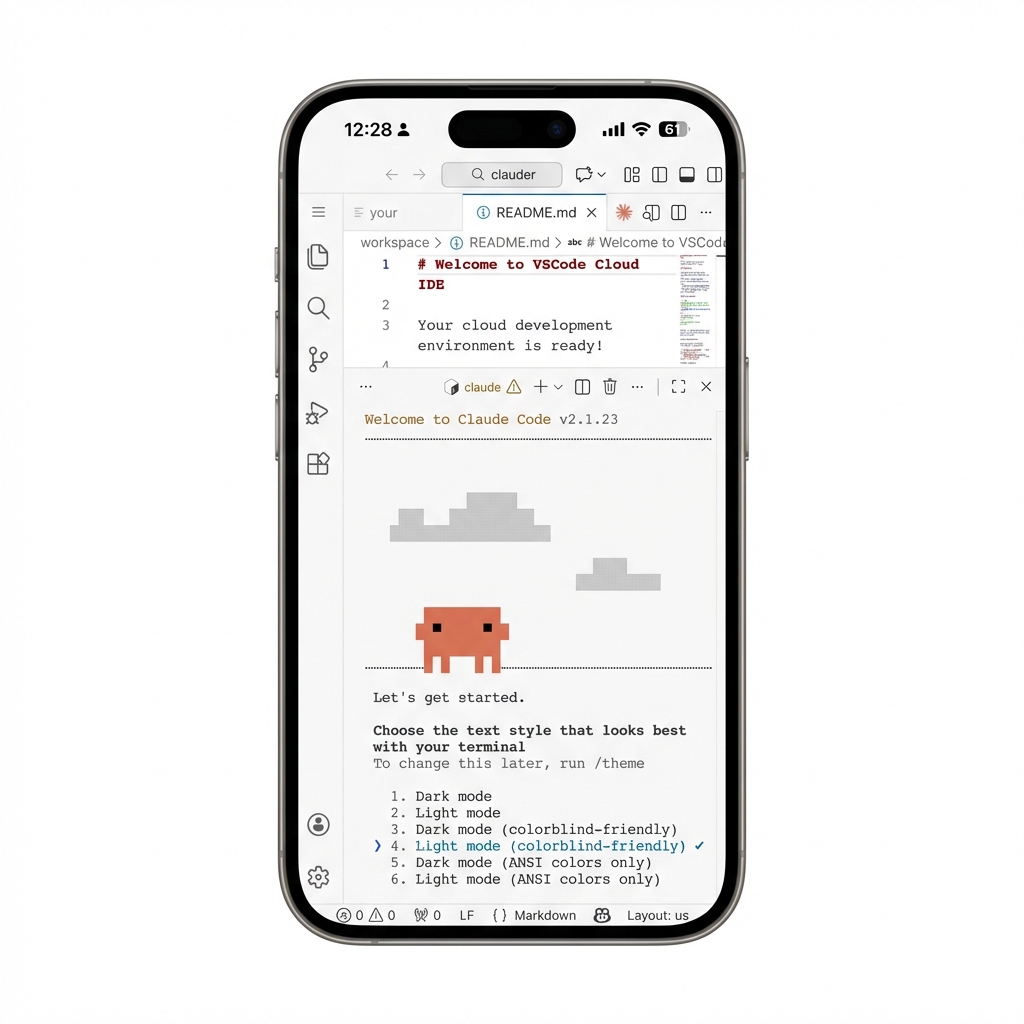
Deploy a full VS Code development environment in the cloud with Claude Code CLI ready to go. Access it from any browser, on any device. Code with AI assistance anywhere.
- Claude Code CLI Pre-installed – Start AI-assisted coding immediately with
claudeorclaude-auto(YOLO mode) - Browser-Based VS Code – Full IDE experience accessible from any device
- Persistent Storage – Your extensions, settings, and projects survive redeploys
- Non-Root Security – Runs as the
clauderuser with optional sudo access - One-Click Deploy – Deploy to Railway in 60 seconds
Click the button above, or:
- Go to Railway Templates
- Search for "Claude Code Server"
- Click Deploy and set your
PASSWORD - Attach a volume to
/home/clauder - Open the generated domain in your browser
- Enter the password you set
- Open the terminal in VS Code
- Run
claudeto start coding with AI
| Variable | Description |
|---|---|
PASSWORD |
Login password for the web IDE |
| Variable | Default | Description |
|---|---|---|
CLAUDER_HOME |
/home/clauder |
Volume mount path |
RUN_AS_USER |
clauder |
Set to root if you need root access |
APP_NAME |
Claude Code Server |
Login page title |
WELCOME_TEXT |
Welcome to Claude Code Server |
Login page message |
⚠️ CRITICAL: Without a volume, ALL data is lost on every redeploy!
| Setting | Value |
|---|---|
| Mount Path | /home/clauder |
| Size | 5GB+ recommended |
- code-server – VS Code in the browser
- Claude Code CLI – AI coding assistant by Anthropic
MIT